Home / Google Business Profile for Contractors: Setup Checklist
- GOOGLE BUSINESS PROFILE FOR CONTRACTORS
Google Business Profile for Contractors: Setup and Optimization Checklist
For many contractors the Google Business Profile is the first thing a customer sees. This checklist covers how to set it up as a service-area business, what to fill in, the mistakes I see most, and how to keep it accurate.
- For service area contractors
- A working checklist
- Follows Google's guidelines
Short answer
Set your profile up as a service-area business if you travel to customers: hide your address, pick the most accurate primary category, list your real services, add up to 20 service areas you actually cover, keep your details identical to your website and ask every customer for a review. Nobody can guarantee a map pack position, but an incomplete profile is a loss you can avoid.
In this guide
First decide: service-area business or hybrid
Google’s rules depend on how you work. A business that serves customers at their location, with no customers visiting its address, is a service-area business. Google says such a business should remove its address from the profile. A business that serves customers at its address and also visits them is a hybrid and keeps both (Google: manage your service areas). Most contractors are service-area businesses. A showroom or shop you invite people into makes you a hybrid.
The setup checklist
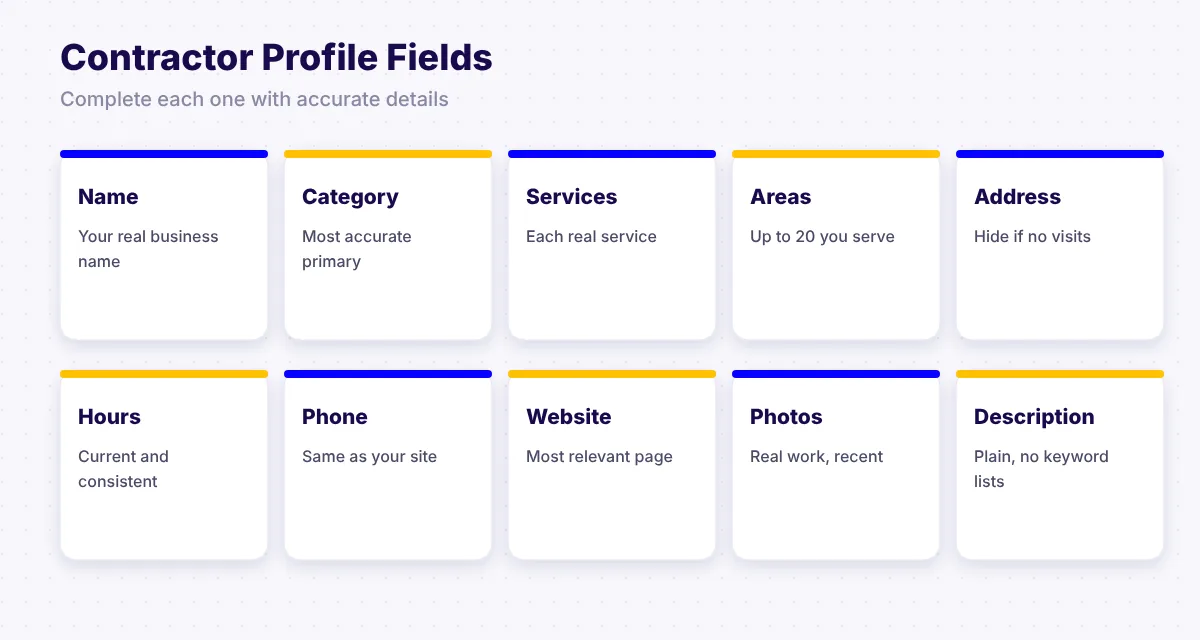
| Field | What to do | Watch for |
|---|---|---|
| Business name | Use your real name, as on your signage and invoices | No keywords added. See Google’s guidelines |
| Primary category | Choose the one that best describes your main work | Too broad a category hides you from specific searches |
| Secondary categories | Add a few that are genuinely true | Do not list work you do not do |
| Services | List each real service with a short description | Missing services are a common gap |
| Service areas | Add the cities or postal codes you serve, up to 20 | Stay within about two hours of driving |
| Address | Hide it if customers do not visit you | Never use a virtual office or a P.O. box |
| Hours and phone | Keep them current and the same as the website | Holiday and emergency hours |
| Website | Link to the most relevant page | A broken or wrong link wastes the click |
| Description | Say what you do and where, plainly | No offers, links or keyword lists |
| Photos | Add real photos of your work and your team | Stock images do not help customers |
Choose the primary category carefully. It tells Google what kind of business you are, so a general category can keep you out of searches for a specific job. Look at what the strongest local competitors use before you decide, then choose what is true for you.
The mistakes I see most
- The profile was set up once, quickly, and never touched again.
- Categories do not reflect what the business does.
- Services are missing or incomplete.
- Hours, phone number or address are out of date.
- There are few or no recent photos of real work.
- Business details do not match the website.
- The profile was created by an agency or an employee and the owner cannot log in.
Several of these come straight from how I review profiles in my Google Business Profile service. Most take an hour or two to fix. Nothing here is a trick; it is simply being complete and accurate, which Google says makes a business more likely to show up (Google Business Profile Help).
Reviews and replies
Google lists reviews under prominence and says more reviews and positive ratings can help your local ranking. It also says helpful replies help you stand out. Ask every finished customer, make it easy with a direct link, and reply to every review in plain language. Do not offer incentives for reviews and do not ask only your happiest customers. I give guidance on requesting and answering reviews, but the replies themselves are best written by you, since they are real conversations with real customers.
Keep the profile and the website consistent
Your business name, phone and services should match between your profile and your site. If the profile lists emergency repairs and the site never mentions them, customers and Google both notice. This is why profile work sits next to the website. My WordPress SEO services page and the guide to local SEO for contractors cover the site side. If you work across several towns, the site needs a sensible area structure, which service area pages that help local SEO explains.
What if someone else already claimed your profile?
This is common, especially when a previous agency, web designer or employee created it. You need to regain ownership and access before you optimize anything. Start from the profile itself and follow Google’s ownership request process. If you cannot reach the previous owner, expect it to take some patience. Do not create a second profile for the same business, because duplicates cause problems.
A simple monthly routine
- Check hours, phone and address are still correct.
- Add a few real photos from recent jobs.
- Reply to any new reviews.
- Ask recently finished customers for reviews.
- Check that your services still match what you offer.
- Look at calls, direction requests and website clicks for the month.
I do not promise a map pack position or placement above any named competitor. Google determines local rankings using relevance, distance and prominence, and distance from each searcher is not something any optimization can change. What you can control is whether your profile loses ground for reasons within your control.
- ABOUT THE AUTHOR
I am Arslan Kalwar, a WordPress website designer and SEO specialist. I have worked with WordPress for 8+ years and completed 1,200+ projects, mostly for contractors, trades and other local service businesses. I am also a WordPress Core contributor; the contributions page explains what that involves. The checklist follows Google’s documentation and how I set up profiles for service businesses. More about me is on my about page.
- FAQ
Google Business Profile Questions From Contractors
Answers to what contractors ask when they set up or fix a Google Business Profile.
Only if customers visit it. If you travel to customers and nobody comes to your address, Google says to remove the address from the profile. A hybrid business that serves customers at its address keeps it.
Up to 20 cities, postal codes or other areas. Google also says the whole area should stay within about two hours of driving from your base. List only places you really serve.
The one that best describes your main work. A specific category usually serves you better than a broad one, but it must be true. Look at what local competitors with strong profiles use, then choose what fits you.
Ask every finished customer, give a direct link, and do not offer rewards or ask only happy customers. Reply to every review. Steady, real reviews matter more than a one time push.
Common triggers include a business name with extra keywords, a virtual office address and conflicting details. Check Google's guidelines for representing your business, fix what does not comply and follow the reinstatement steps.
No. Google uses relevance, distance and prominence, and distance from each searcher cannot be changed. Anyone promising a specific position is not being straightforward.
Want Your Google Business Profile Checked?
Send me your business name and your current Google listing, if you have one. You will get a clear read on what needs attention.